Updating the 5Stack Panel
Occasionally you may need to update the 5Stack Panel to the latest version. Currently, this process requires manual intervention:
- Navigate to the installation directory.
- Run
git pullto fetch the latest updates. - Execute
./update.shDatabase upgrades
The database is TimescaleDB on PostgreSQL. update.sh keeps it current in two ways.
TimescaleDB extension. After a new TimescaleDB image rolls out, update.sh updates the extension inside the database to the image's version and restarts Hasura and the API if it moved. This happens without asking: it is a minor, in-place update.
A new PostgreSQL major version. When the panel moves to a new PostgreSQL major (for example from 17 to 18), update.sh upgrades the database in place with pg_upgrade before it changes anything else. It first shows:
- the database's size and the node it lives on,
- the free disk and how much the upgrade needs: a full copy of the database, a margin, and the 5% k3s keeps free,
- the expected downtime (the copy runs at roughly 100 MiB/s; Hasura and the API error until the database is back),
- where the old data is kept for a rollback.
Then it asks Stop timescaledb and upgrade it now? [y/N]. Answering no stops update.sh before anything has changed. If there is not enough disk, it stops and says how much is missing.
Unattended updates
Without a terminal to ask on, update.sh refuses to upgrade the database. Pass --yes (or set ASSUME_YES=true) to upgrade unattended.
The upgrade copies the data rather than moving it, so the old PostgreSQL data stays on the node as timescaledb-pgNN (for example timescaledb-pg17) next to the live database. When it finishes, update.sh prints the commands to roll back to it, and the command to delete it once the new version has proven itself. Rolling back loses anything written since the upgrade.
Updating 5Stack Components
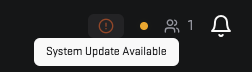
The 5Stack Panel can update its components (API, Web, Game Server Node Connector, etc.) through the update interface at the top of the application.